Live TV with the whole guide
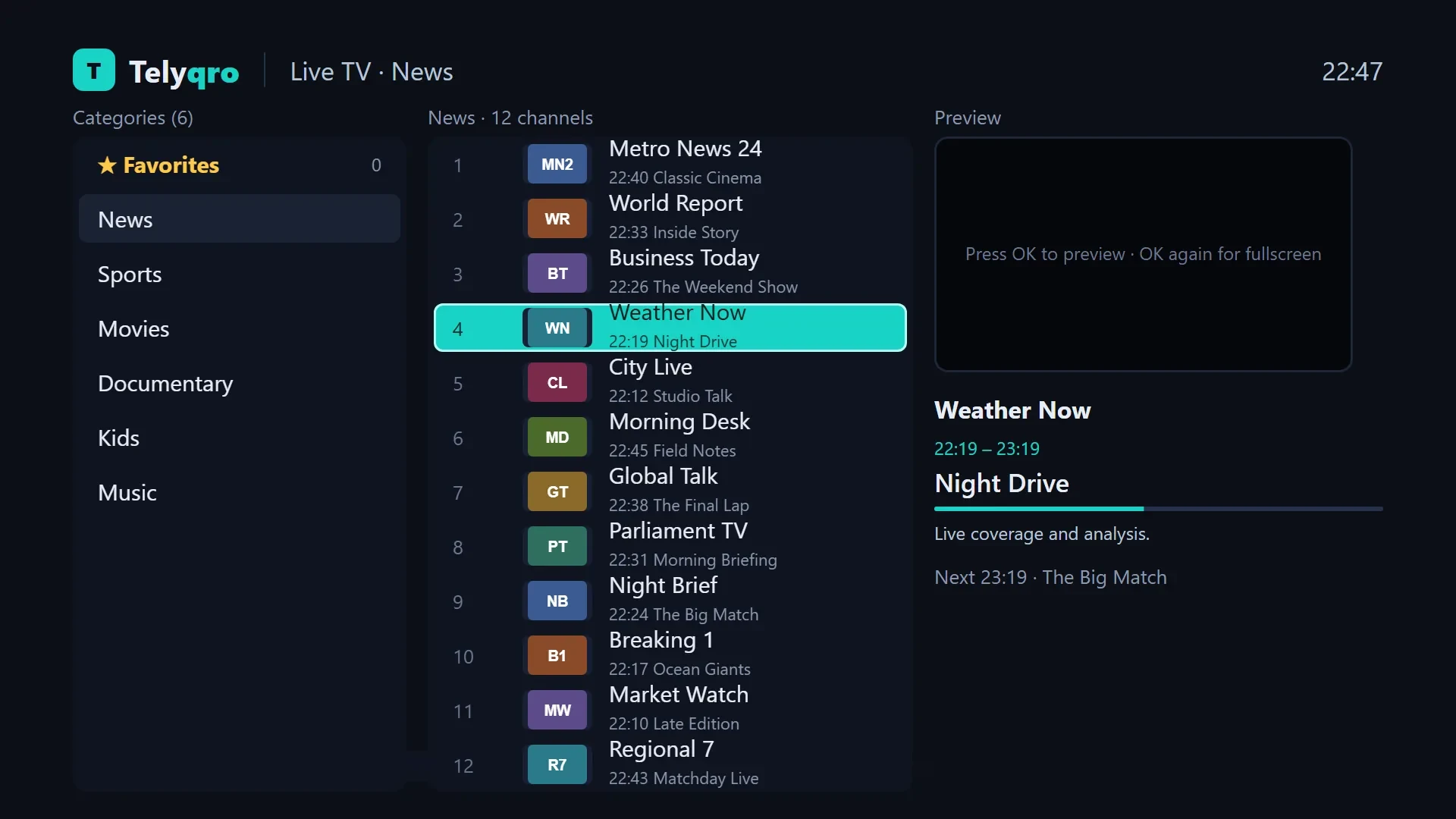
Now and next on every channel, a full TV guide grid, and a quick channel list right over the picture.
- Type a channel number
- Last channel
- Auto-reconnect
Your Xtream Codes and M3U playlists, beautifully played on your TV, phone and computer. Live TV with the full guide, catch-up, films and series, all in one fast app.
One app for every screen
This is Telyqro's own search, running right in your browser over a sample playlist. Any part of a name, accents ignored, every script: type cafe and you get Café Noir Cinéma.
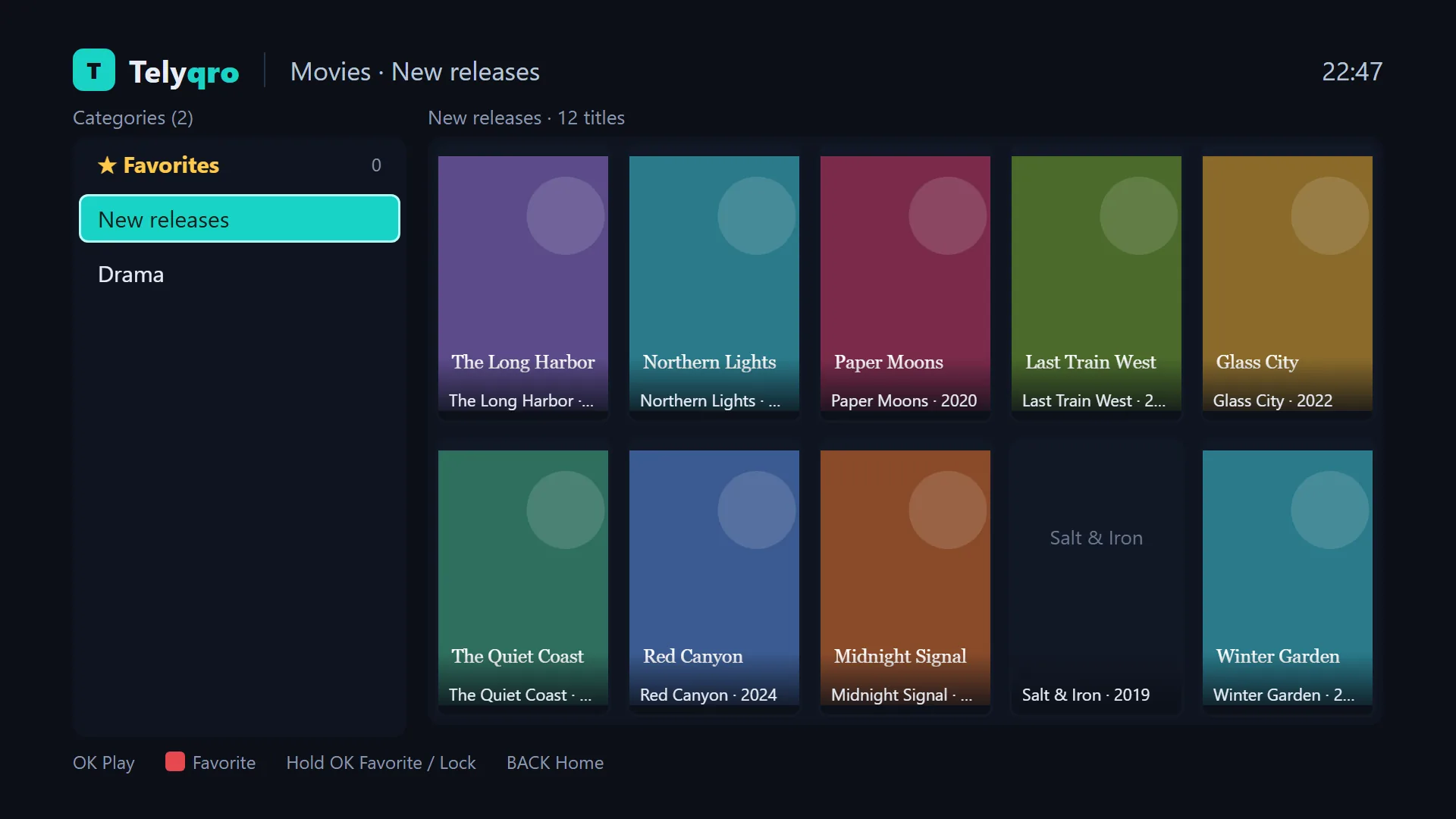
Built for people with big playlists: hundreds of thousands of channels, films and series, fast on every screen in the house.
Now and next on every channel, a full TV guide grid, and a quick channel list right over the picture.
Missed it? Go back through past programmes, watch from the start, then jump back to live.
Wherever your provider keeps the archive. Coming soon to Samsung and LG TVs.
Continue watching, watched marks on every season, and the next episode after a 10-second countdown.
Xtream Codes, M3U links and M3U files. Add them here on telyqro.com and they arrive on your device by themselves.
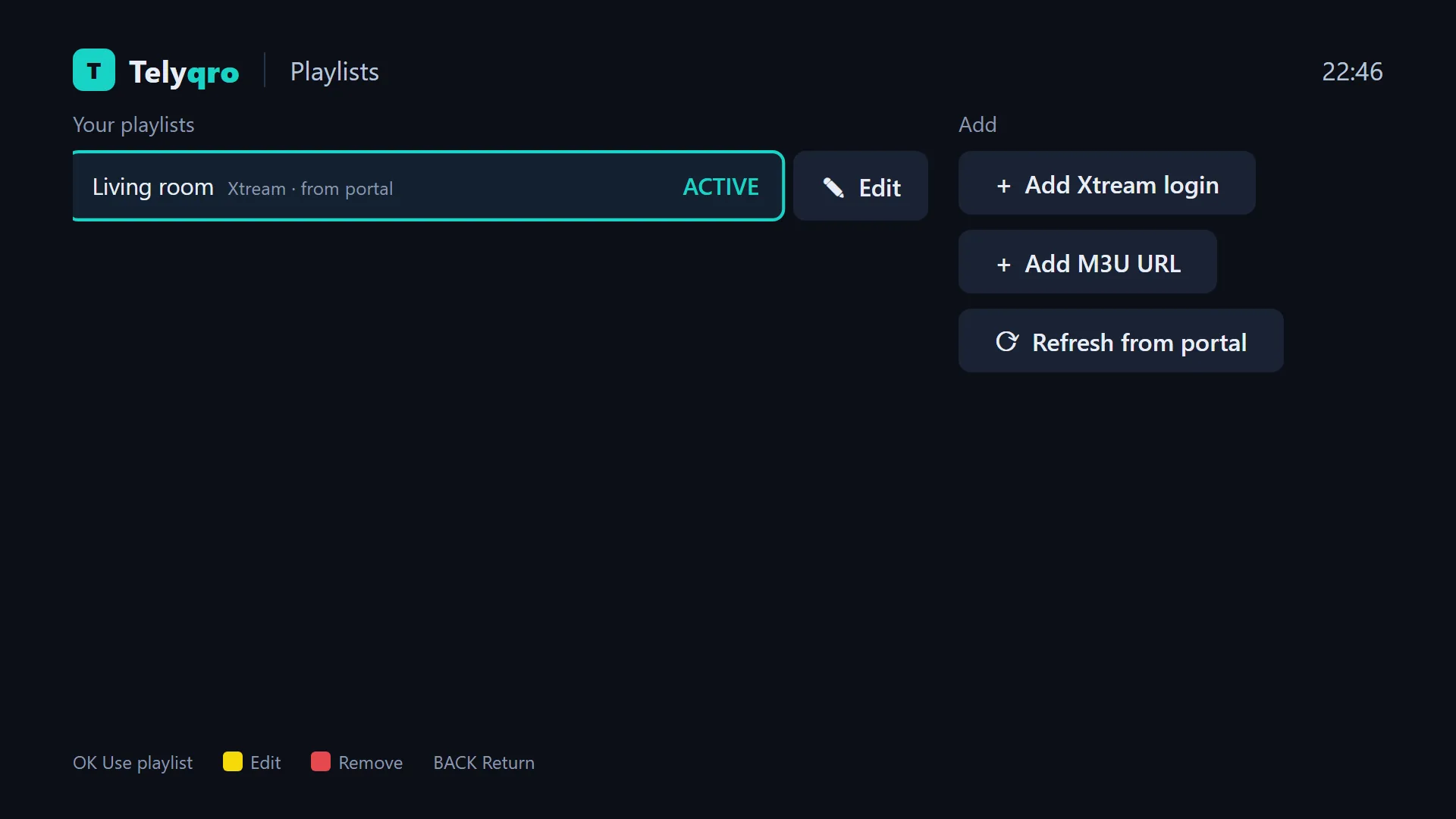
Lock any group, channel, film or series with a PIN. Adult groups are locked from the start and stay out of search.
Favorites, settings and locks are backed up by themselves and offered back on a fresh install.
Channel up and down within a category, previous channel with Last, and streams that recover on their own.
Everything below is built and in the app today.
Get Telyqro on your device, then add your provider’s login or M3U link, in the app or here on telyqro.com.
About a minuteEvery feature, on every device. No card needed, so there is nothing to cancel.
14 days, on usSign in here with the Device ID and key from the app and choose Yearly or Lifetime. The app picks it up within 30 seconds.
Two minutesOne app for TVs, phones and computers. Each device gets its own 14 free days and its own plan.
Try everything free for 14 days. Then keep it for a year, or pay once and keep it for good.
A full year from the day you pay. Add another year any time.
Pay once. It never renews and never expires.
Pay with PayPal, card or cryptocurrency. The app picks up your plan within 30 seconds. New TV? Move your plan to it on telyqro.com, once a day.
Setting up on a Fire TV Stick, getting the TV guide right, fixing streams that stall: plain answers, step by step.
Install Telyqro on any Fire TV Stick or Fire TV with the Downloader app and code 7619545, add your playlist and start watching. Step by step, 2026.
8 min readGet an IPTV player on Android TV, Google TV, Chromecast, Shield or a TV box: install the app, add your Xtream or M3U playlist and set up the TV guide.
7 min readWatch your IPTV playlist on a Windows 10 or 11 PC with a proper player: live TV with the guide, films and series, keyboard shortcuts. Linux too.
7 min readNo. Telyqro is a player. You bring your own playlists from your provider, as Xtream Codes details, an M3U link or an M3U file, and Telyqro plays them.
On the activation screen of the app. Sign in here with both to add playlists to that device or buy its plan. Where the app shows a QR code, scanning it opens this site with the Device ID filled in.
Yes. Every device gets 14 days with every feature and no card. Reinstalling the app does not start a new trial.
A plan belongs to one device at a time. Each TV, phone or computer has its own Device ID, its own trial and its own plan.
Yes. Open Telyqro once on the new TV, then sign in here with the old device and choose Move to another device. Enter the new Device ID and Device Key, and the plan moves with all its time left. A plan can move once a day, to a device without a plan of its own.
Nothing in the app: both unlock every feature. Yearly runs for a year from the day it starts, and a second year added early starts when the first one ends. Lifetime is paid once.
With PayPal (cards included) or with cryptocurrency. The app picks up the new plan within 30 seconds of the payment going through.
Yes. Lock any group, channel, film or series with a 4-digit PIN. Adult groups are locked from the start, and locked content stays out of search too.
Install Telyqro, add your playlist and watch everything free for 14 days.